
How to Add LFC For Amazon Smile on your Amazon Mobile App
June 18, 2020Did you know that Amazon has updated their Mobile app to allow you to connect your account with an Amazon Smile Non Profit for a donation?
Amazon has made it even easier for your to support Lake Forest! Below are the instructions for how to connect it on your mobile app. Once it is connected you don’t have to go to a different website or do anything different. Just shop like you normally would on the Amazon Mobile App. This process even works for Amazon Business Accounts.
How to Enable AmazonSmile on your Amazon Mobile App
- Open the Amazon App
- Select the Hamburger Menu on the top left corner
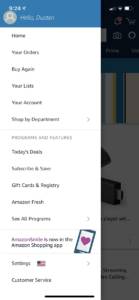
- Select Settings in the Menu
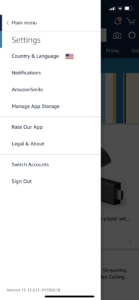
- Select Amazon Smile in the settings Menu
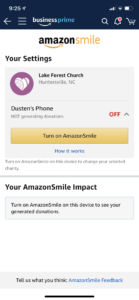
- If you do not see Lake Forest Church as your designated Charity, then you can select Change Charity and Search for “Lake Forest Church” and look for us in the list of results and we are the only one located in Huntersville, NC and hit Select.
- Then you will need to select “Turn On AmazonSmile”

- Now just shop as your would normally.